
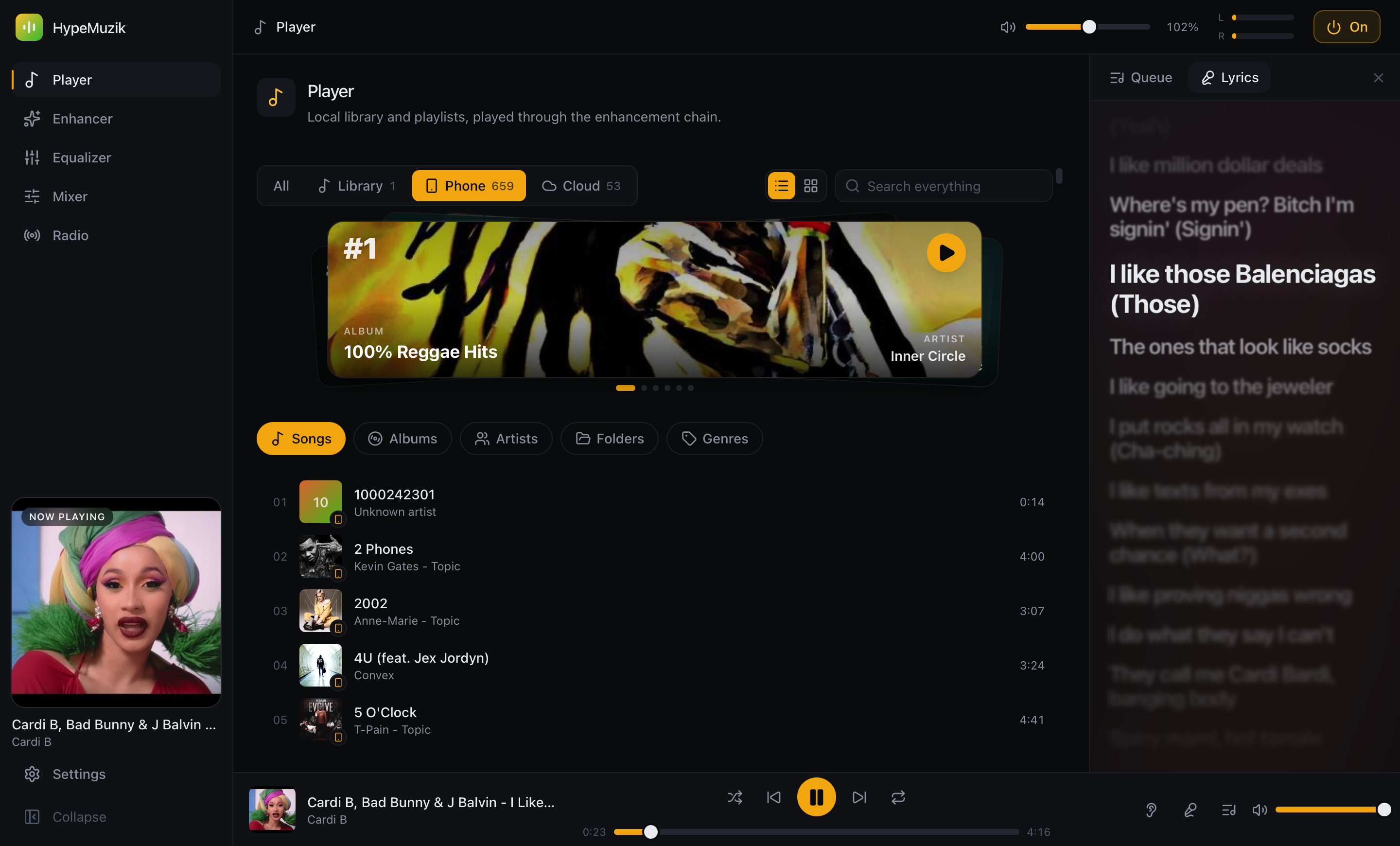
Play your phone through the desktop
Discover phones on the network, pair once, and stream their library straight into the enhancement chain.
Desktop + Mobile · One sound engine
A 31-band equalizer, a full custom DSP chain, and system-wide processing — on the desktop. A player that carries the same engine in your pocket. And a link that streams your phone’s music straight through your desktop’s sound.
01 — The link
Your phone holds the music. Your desktop holds the engine. Phone Link joins them over your own Wi-Fi — no cloud middleman — so every track you stream is re-rendered through the desktop’s full DSP chain.
Your on-device library, shared to the desktop after a quick PIN pair.
EQ, DSP chain and limiter re-render the stream in real time, then out to your speakers.
Discover phones on the network, pair once, and stream their library straight into the enhancement chain.
Hand the current track to a paired phone and keep the now-playing state in sync, both directions.
Lyric files you keep next to your music on the phone show up in the desktop’s karaoke view automatically.
Connect Google Drive or Dropbox once and stream the same music on desktop and mobile.
02 — The control room
Everything you hear, shaped — not just HypeMuzik’s player, but every app on your machine.
Route all system audio through the chain — a macOS Core Audio process tap or per-app WASAPI control on Windows. Tune the whole machine, not one player.
A live response curve over a real-time spectrum, with 12 built-in presets and 3,938 AutoEq headphone profiles.
Headphone correction, bass boost, spatializer, 3D surround, room reverb, convolution IR, multiband compander and tube saturation — into a brickwall limiter.
Smooth past 100,000 tracks. Real ID3 tags, lazy cover art, instant search across every source.
Untagged track? A Chromaprint fingerprint and an AcoustID match fill in the title, artist and album.
Separate any track into vocals, drums, bass and everything else — then solo, mute or remix the parts while it plays.
Internet radio and world TV, checked for a live signal before you tune in — plus a movies browser, in the same window.
Play straight from Google Drive or Dropbox — several accounts at once — and search YouTube Music for tracks, playlists and endless radio.
Word-by-word karaoke fill, a spring-driven auto-scroll, and a depth-of-field blur on the lines around the one being sung — all synced to the beat.
03 — Signal path
The same custom chain runs on both platforms. Order matters — so we show it the way the audio actually flows.
Hand-written C++/Rust DSP — no off-the-shelf system effects. Denormal-flushed, sample-rate adaptive, zero-overshoot limiting.
04 — In your pocket
HypeMuzik for Android & iOS carries a hand-tuned C++ DSP pipeline — the desktop’s sound, wherever you are.
05 — Your data
HypeMuzik has no accounts, no ads, and no server holding your music. Here is exactly what it touches, and why — before you install anything.
Your library index, your EQ curves, your presets and your play history are stored locally and never uploaded. Phone Link streams device to device over your own Wi-Fi — there is no middleman to send it through.
Connecting Drive is optional and never on by default. When you connect, HypeMuzik requests one permission — read-only access to the files in your Google Drive — so HypeMuzik can list the audio files you keep in Drive and stream them back to you through its own equalizer and DSP chain.
Your files stream straight from Google to your device. They are never copied to, cached on, or read by any server we run. HypeMuzik only ever reads; it cannot change or delete anything in your Drive.
https://www.googleapis.com/auth/drive.readonly
Disconnect inside the app at any time, or revoke it at your Google Account permissions.
The full detail lives in our Privacy Policy and Terms & Conditions.
Free to try. Studio-grade out of the box.